Before you install a VPN meant to protect your privacy from viewing your activity by your ISP and everyone else using the same WiFi network as you are, it’s important to consider who you are putting your trust in when it comes to the management of your internet traffic. Most people tend to glance at these three items listed on the store before deciding on which app they want to use, even though they indicate a great deal about the level of trustworthiness of the app developer and what the app will be doing with your data; and that’s not even scratching the surface…
When you look at a free VPN for Android, three things are visible before you tap Install: what the developer says it collects, what it can access on your phone, and what the free plan holds back. None of them proves an app is safe. Researchers behind a 281-app audit found serious flaws that no listing reveals. Still, the three signals together will rule out a lot of bad options, and one of them is easy to misread.
What the App Asks For and What It Can See
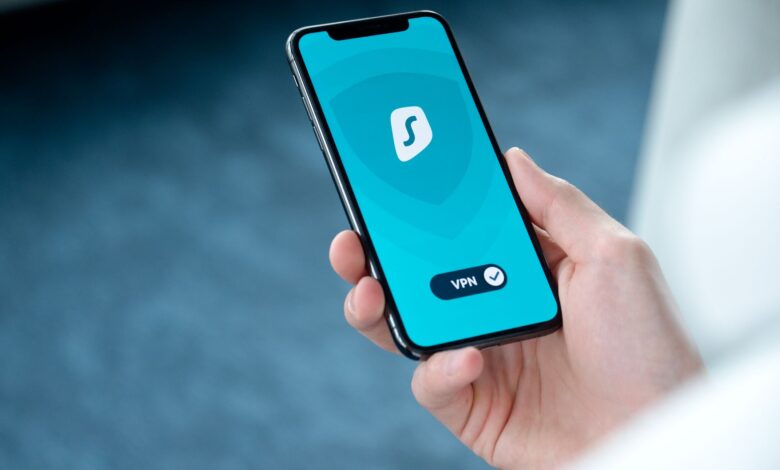
VPN apps, according to the Android developer guide, have to be trusted before they can operate as such. When you establish a VPN connection for the first time, the Android system requests that you trust it before it can provide for an active connection. Once you agree, the app will intercept all outgoing communication from your mobile device, encrypt the communication and forward the communication to the provider’s server. Once the encrypted communication reaches the provider’s server, a key icon will appear in the status bar indicating that the VPN tunnel is active.
This “trust dialogue” informs users what data they are providing to an external service. Researchers from MVPNalyzer at the University of Michigan, the University of New Mexico, and IIT Delhi refer to this transfer of trust as a form of trust transfer from one service provider (i.e., the ISP) to a different service provider (i.e., the VPN service). Notebookcheck highlights that once the user approves the trust dialogue, the VPN will have the ability to monitor all of the user’s activity. This results in a change of trust from the user’s ISP to the developer of the VPN app.
Additionally, a VPN service does not necessarily ensure anonymity. Business Insider points out that users may still be identified by websites and applications through their login credentials, cookies, or browser fingerprints, and while VPNs may hide the destination of a user’s Internet activity from their ISPs, ISPs may still detect that the user is utilizing a VPN service.
How free VPNs make money
Running a VPN service has associated costs. Therefore, the questions concerning free VPNs relate to how that VPN provider pays for the costs of running a VPN service. Business Insider identifies the usual options that providers of free VPNs make money: advertisers pay the provider to display ads to the user, they encourage consumers to either upgrade to a paid plan, or, in the worst case, sell their user data or install malware. Additionally, many providers of free VPNs log user data, meaning that selling user data would be a considerable risk.
The larger and more well-known providers provide an explanation of their business models. These explanations should be viewed as claims instead of being definitive proof of the provider’s practices. For example, Proton indicates that it has a business model based on paid users who support the provider’s free VPN service and they guarantee no advertisements and no user logs. TunnelBear states that many providers of free VPNs currently use advertisements or collection of user data to support their business model, but that they (TunnelBear) do not do so. According to hide.me, they are not generating revenue from their free VPN service, but they are using the service to convert potential customers into paying subscribers. hide.me doesn’t make money on its free service at all. TunnelBear has explained recent free-plan changes.
Therefore, it is important to note that the types of ads on an application directly relate to how that application is being funded. An ad-supported application collects user data because the application’s financial success relies on the revenue generated through advertising. In contrast, a subscription-supported application limits free tier offerings based on the revenue generated from the subscription. These two different types of applications will have two different types of recognition on a store page.
Before You Tap Install: Three Signals to Check
Each of these signals shows you something different, so check all three rather than stopping at the first one that looks fine.
Signal 1: the Data Safety section
Google’s Play Help page says to open the app’s listing, find the “Data safety” summary and select See details. The section only covers apps distributed through Google Play, and it only appears on Android 5 and up.
The first thing you should look for when you’re reading about it is “Data that is being shared”: Google describes that shared data is any data that an app passes to a third party. Under that data type “Device or Other IDs” is included the advertising identifier as one of the device ID types of data shared with third parties. For example, a VPN service that shares Device IDs for “Advertising and Marketing” has told you where the money it’s making is coming from.
Two limits apply. First, the section is written by the developer. Google’s developer documentation makes developers solely responsible for the accuracy of their declarations. Second, the declarations have carve-outs: under Google’s rules, data that’s only processed briefly in memory, or transferred to a service provider working for the developer, doesn’t have to be listed as collected or shared. Google also says practices may vary based on your use, region and age, so the listing a phone in Lagos sees may not match the one seen in another country.
Signal 2: permissions that don’t match the job
Google provides guidelines on how to understand the difference between Data Safety and permissions lists. Google says that the permissions list is created based on technical information about an app’s functionality and that these technical details can differ from how the developer describes the app’s functionality in the Data Safety section. Google has provided this information to the Play Store, and users can locate the data safety section in the Play Store by going to About this App, selecting App Permissions, and clicking See More. The layout of the Play Store on users’ devices may vary from what MakeUseOf described for 2025.
Additionally, while investigating all the permissions requested by an app, we recommend asking, “How does this permission help route my internet connection?” For example, in a study of nearly 800 free VPN applications by Zimperium’s zLabs and reported by ThaiCERT, they found that some Android applications requested read access to the entire system log. Researchers suggested that this information could be used to build a detailed profile of the users of these applications. Similarly, the study found that some iOS applications requested continuous location access, which doesn’t support the purpose of a VPN. Likewise, access to the user’s contacts, call logs, SMS, or microphone should be justified in the same manner.
Occasionally, there may be a legitimate need for certain permissions requested by an app, so please keep in mind that while we recommend verifying that there is a legitimate reason for any unusual permission requests, not all of them will result in an immediate recommendation for rejection. If you would like to check the types of tracking software included within an app (beyond what is listed on the permissions list), Exodus Privacy allows you to search for apps via name or Play Store link and provides a list of all the tracking technologies embedded in each app.
Signal 3: the free-tier limits
The limits on free users indicate how the provider intends to make money from them. A cap on the type of server they use or how much data they can have indicates that the provider wants them to upgrade. “Unlimited everything,” along with advertisements, indicates that the provider may be using ads to pay for free users. The table below shows the practical differences between all of these.
The “Verified” badge is not the fourth signal
Google gives some VPN apps a “Verified” badge. According to Google, apps need to complete a Mobile Application Security Assessment (MASA) Level 2 validation, have at least 10,000 installs and 250 reviews, be on Play for at least 90 days and use an organisation developer account. That’s a real bar. But Google also says the independent review does not verify the accuracy and completeness of the developer’s Data Safety disclosure. The MVPNalyzer researchers told Digital Trends that Data Safety information and the badge may work more like marketing signals than full security guarantees.
What the listings say, side by side
The table below compiles all of the Google Play Data Safety disclosures from each app, taken from the Play web listing as of 29/09/2026, and the statements from each vendor about their free tier. The Data Safety declarations and each vendor’s free tier descriptions are self-declared statements, meaning they are not test results, and they may change with the next update.
| App (developer) | Data Safety: shared with third parties | Data Safety: collected | Free-tier limits (vendor’s statement) | What to weigh |
|---|---|---|---|---|
| Proton VPN (Proton) | None declared | Crash logs (optional), purchase history, email, user IDs, phone number (optional). Independent security review listed | One device, no ads, no data or speed limits; free servers in 10 countries, with the next server picked at random and a cooldown between changes | No cap, but you can’t pick your country; needs an account |
| Windscribe | None declared | Device or other IDs (developer communications), email (optional). Independent security review listed | 2GB a month by default, 10GB once you confirm an email | Low cap for heavy use; the email trade-off gets you more data |
| hide.me (eVenture Limited) | None declared | No data collected declared; no deletion request option listed | 7 server locations, one device, unlimited data | Smallest declared footprint in this set; server choice is European and US only |
| TunnelBear | None declared | Crash logs, diagnostics, other performance data, email | 2GB a month; country selection and split tunnelling moved to paid plans | Tight cap; you can no longer choose a location on free |
| 1.1.1.1 + WARP (Cloudflare) | Device IDs, name, email, user IDs, photos and videos, location, web browsing history, other actions | Similar categories, including web browsing history; listing says data can’t be deleted | Replaces your IP with a Cloudflare IP that reflects your approximate location | Listing and privacy page read very differently; read both |
| Turbo VPN | Device or other IDs, for advertising or marketing | App interactions, device IDs, photos (optional), email (optional), user IDs, crash logs | Listing shows contains ads and in-app purchases; free limits not checked here | The listing openly states an ad-sharing model |
In the two rows of the table there are examples of misleading information being provided when looking at just one of the two signals. The Turbo VPN short version of their policy says simply that “device IDs may be shared with third parties to track advertising.” The Cloudflare listing on the other hand has a much longer list of categories in which Cloudflare will share with third parties; this includes the browsing history of users. However, the Cloudflare WARP privacy page has stated that, although they collect some DNS queries and traffic, they do not collect any information that would allow them to serve personalized ads or sell/lease any personal information. You will not know which description is correct just from looking at the comparison chart. The comparison does show you that the same app can be described in radically different ways by the two sources, and you must read both the listing and the privacy policy before you will know which one is telling you the truth.
What You Give Up When You Choose Free
An app that provides all three of the described benefits will still come with cost associated with it, mainly in the form of speed, capacity, and dependability.
“”” Speed is the most obvious one. Business Insider mentions that free versions of VPNs will often cap speeds and may have issues with speed due to server capacity that is causing throttled connections. This makes for a difficult time for streaming, video conferencing, and large file transfers, as well as certain free plans that will give you a predetermined amount of data before cutting you off or slowing you down significantly. Second is server selection and availability. According to the same guide, some free VPNs will only allow you to connect to a maximum of ten different predetermined locations, with no option to change to a different location upon connection. One example is Proton’s free version which picks your next server at random and requires you to keep waiting between changing servers. “””
Additionally, there is a direct impact on Nigerian readers who will feel the pinch of this associated cost. hide.me explains that its service runs on top of a user’s current internet connection, so users are encouraged to ensure they have enough data (e.g., quota) to cover any disruptions. A VPN’s monthly limit is therefore separate from your MTN or Airtel bundles. Just because you’re using Windscribe’s 10GB of data, it does not mean you aren’t also using your own mobile data in addition to it.
When it works, then stops
On r/AndroidGaming, one user reported using one free VPN that initially worked well but then stopped changing IP addresses and claimed to have used a second free VPN with the same results. The reply from MVPNalyzer regarding the user’s experience with both free VPNs did not contain any explanations about fixing the issues or provide details for possible reasons for the problems; it only suggested that users avoid free VPNs altogether. A single thread of information does not supply enough information to discern what may have caused the issues. However, based on documented experiences with free (as opposed to paid) VPN tiers, it is reasonable to consider a few of the most likely culprits: (1) the user’s data allowance has been exhausted, (2) the user connected to a free VPN server already experiencing heavy traffic, or (3) the user was assigned to a free server without having made a choice.
The more serious version of “it stopped working” is the kind you don’t notice. The MVPNalyzer audit found 29 apps leaking user traffic, including DNS lookups, outside the tunnel, and 61 sending some data unencrypted. Notebookcheck’s summary adds that five apps loaded their configuration files unencrypted. That let an attacker on the same Wi-Fi, such as whoever runs a public hotspot, redirect the connection while the app still showed “Connected”. Those flaws don’t show up on a store listing, which is exactly Notebookcheck’s point.
Android has a built-in feature that may help keep your network secure. According to its developer guide, Android offers an always-on VPN feature and a ‘Block Connections Without VPN’ toggle within the ‘VPN Settings’ as a way to keep any network traffic that is not routed through the VPN from reaching the device. The developer guide also clearly states that if ‘Block Connections Without VPN’ is enabled, there will be no Internet connection until the VPN has established its connection. Therefore, if you are using a free VPN service and lose their connection, all network activity will cease until you reconnect to another VPN service. Finally, per the developer guide, the VPN settings are located in the following path on your phone, ‘Settings > Network & Internet > VPN’, although your phone’s labels may differ from those in the developer guide.
The Decision: Free VPN, Free Stack, or Paid
Depending on what you require from a Virtual Private Network (VPN), you will have four viable and effective options to choose from.
For example, if you only plan to use VPN sporadically, such as when connecting to an insecure VPN network (e.g., at a coffee shop or hotel), Business Insider notes that a checked free VPN is suitable for this use; the main benefit of using one is added privacy. A checked free VPN must have passed three verification checks. The best free VPNs, however, are those that are accompanied by an independent audit from an outside firm. As noted by Notebookcheck, you should look for free VPNs that have undergone an independent audit and be cautious with free applications that include advertisements. Also, you should treat the term “verified” or “no logs” as the beginning of your research.
A free stack is the option most comparisons leave out. A poster on r/dns described getting tired of slowdowns and clunky VPN apps and building a setup from RethinkDNS, Cloudflare WARP and NextDNS instead, which they reported as fast and costing nothing. That’s one person’s account, and the performance claims are theirs. The pieces themselves are documented. RethinkDNS is a free, open-source Android firewall and DNS blocker that routes your traffic through itself using Android’s VPN slot, and its Play listing declares no data collected or shared. NextDNS filters at the DNS level and its free plan covers 300,000 queries a month, after which it keeps working as ordinary DNS without blocking. The catch is that Android allows only one active VPN service per user, so you can’t simply switch on several VPN-type apps side by side. Combining them means configuring them, which is real work. Also, a DNS blocker on its own doesn’t hide your IP address.
If you use your VPN daily, for streaming or require access to certain countries it may make sense to pay for a VPN service. Business Insider indicates that while you pay for access to more servers and features, simply paying for a subscription doesn’t automatically guarantee that your VPN service is secure, so you must still check all of the same three criteria listed above. The subscription prices and whether or not your credit card from Nigeria can be used are often subject to change, therefore it is recommended that you verify both of these directly on the provider’s checkout page.
There is no reason why any VPN service should not be an acceptable option for daily home use. An app that passes all of the checks should be preferred over an app that fails at least one of the three checks listed above. An app that allows you to leak data outside the secure tunnel or to be redirected to unsecured Wi-Fi channels gives you a false perception of security, but actually routes your web traffic through potentially malicious servers.
Where Most People Go Wrong
A common misconception is that using a free VPN service is like upgrading my privacy for no cost. The truth is that you have to understand which companies are allowed to see your traffic. The listing of a free VPN provides information in three areas that you should verify prior to use; what is shared with others, whether the permissions granted make sense for the purpose of the app, and how the company generates revenue from the application. The “verified” badge does not supersede any of the above points. Always verify all three of these areas and always read the privacy policy anytime there is a disconnect between the listing and the vendors information.
Frequently Asked Questions
Does a free VPN still use my mobile data bundle?
Hide.me indicates that when a user connects to a VPN, they will still use their existing connection, runs on top of your existing connection. Additionally, the consumption of data from the user’s existing internet plan is still incurred. However, the amount of data that can be used with one of hide.me’s plans, such as Windscribe, is an additional cap.
Is a free VPN better than nothing on public Wi-Fi?
A checked one can add privacy on an untrusted network. An unchecked one can make things worse: MVPNalyzer found five apps whose unencrypted settings let someone on the same Wi-Fi redirect the connection while the app still showed “Connected”.
Can I run RethinkDNS and a free VPN app at the same time?
Android does not permit two active VPN connections simultaneously. Therefore, if a user tries to connect to a new VPN while having already established a VPN connection with a different provider, the older VPN will be disconnected. RethinkDNS uses the same VPN connection as a firewall, and Android allows one active VPN service per user.
Can 1.1.1.1 + WARP make me appear in another country?
Cloudflare reports that the WARP product creates a Cloudflare IP which can be viewed by third parties to reflect the user’s general geographic area. WARP was not created to provide location-spoofing capabilities. Based on Cloudflare’s advice, WebRTC-based communications such as Google Hangouts bypass WARP, which ultimately exposes the user’s actual IP address to third-party observers.
