
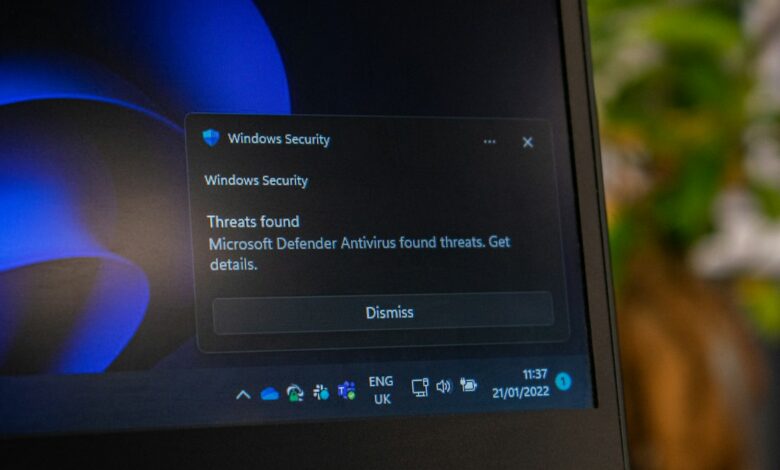
Most people using a recent version of Windows 11 won’t want to download an antivirus for free, as the built-in Windows Security will provide a user with full access to Microsoft Defender Antivirus. Independent testing performed in 2026, shows that Microsoft Defender offers similar levels of protection against malware as the best performing third-party products. A free application typically adds more features at the cost of potential performance and resource consumption. Free antivirus software does not provide superior protection than was previously available in 2020.
The above response was conditional on many circumstances. It’s critical that you have your protection settings turned on, continue to receive updates for Windows, and that you have installed a separate version of Windows 10. Antivirus is not the only necessary tool for ensuring a high level of personal security. It would help if you also kept your operating systems updated, used strong password protection, and maintained backup copies of your data. Before making any changes to your current security plan, make sure to review the current capabilities of your antivirus software to identify any gaps that may exist between what you currently have and what would provide optimal antivirus coverage for your security needs.
How to Check What’s Already Protecting Your PC
To begin with, check the status of your personal computer (PC). The Windows Security application gives the best indication of the current protection your PC has, and Microsoft’s overview of the home page clearly indicates what you can expect to see. Each protection area has a coloured icon:
- Green means your device is sufficiently protected and nothing needs doing.
- Yellow means there is a safety recommendation for you.
- Red means something needs your attention now.
Two quick checks tell you almost everything:
- Open the Start menu, search for Windows Security and open it. Look at the icons on the home page.
- In the Windows Security app, select Settings > Manage providers. According to Microsoft’s settings page, this lists the apps currently handling your antivirus, firewall and web protection.
If you see Microsoft Defender Antivirus listed in the Antivirus section of the application, you can also check whether Microsoft Defender Antivirus is being used by going to the “Virus & Threat Protection” section on the left-hand menu and selecting “Manage Settings“. Here, you will need to confirm that real-time protection is enabled. Real-time protection means that your computer will scan for viruses and threats every time you open or run a file or program. A scan you may have initiated previously is different from this type of protection. Microsoft notes that real-time protection will be temporarily disabled, but will automatically be enabled again after a specified amount of time.
If you see a different antivirus software, such as McAfee or Norton, listed instead of Microsoft Defender Antivirus, that will be your primary antivirus software. Microsoft Windows is designed to only use one antivirus program at a time. If you are using an alternative antivirus program and that program is installed and turned on, Microsoft Defender Antivirus will automatically be turned off. However, once you uninstall the other antivirus application, Microsoft Defender Antivirus will be enabled automatically again.
If your PC is owned and managed by your employer or school, some of the features and pages associated with Windows Security may be unavailable for you. If this is the case, you should contact your IT administrator for assistance.
What if the alert is from a pre-installed trial, not Windows?
A lot of new laptops come pre-installed with a trial version of a scheduled paid antivirus product. Because of the unexpected alerts generated by these products, there has been confusion regarding the subscription costs for them. For example, a parent on Reddit shared that his daughter’s new computer included a free trial of McAfee and expressed concern about being charged for the subscription, as he had never signed up for it. He also shared that the family computer produced a pop-up notification indicating that either they needed to remove or renew an expired McAfee product, which none of them knew had been renewed for many years. In response, one user explained that the Windows Security Center notifies users when the protection from a third-party antivirus product has passed its expiration date. In a separate r/Windows10 thread, a family computer showed a pop-up telling them to uninstall or renew a McAfee product nobody had renewed for years. One reply explained that Windows Security Center flags third-party protection once it has lapsed. In a separate r/Windows10 thread, one parent described a McAfee trial on their daughter’s new PC and said they were scared of having to pay for it.
This explanation from the Reddit thread above aligns with information provided by Microsoft in regard to when Windows Defender becomes the default scanner for a user’s computer. Microsoft provides information on this subject on its limited periodic scanning page, stating that Windows Defender will automatically turn on when a third-party antivirus product is either damaged (i.e. not working), expired, or no longer supported by its manufacturer.
If a user has never entered a credit card number for a free trial or if a user simply does not wish to use the trial version of McAfee, they should remove the product. As an example, McAfee does have an official removal tool guide for removing McAfee products that may not have been properly removed by the normal method. Users should only download removal tools from the website of the vendor themselves and not by following internal links in pop-ups. When it comes to Windows Security, genuine security alerts will never ask a user for a payment. If a user receives a security alert requesting payment of any type, they should immediately close the alert and manually launch the Windows Security application.
What Windows Security Actually Includes
The names can be confusing, so here is how they fit together:
- Windows Security is the app, or dashboard, that brings the protection settings together.
- Microsoft Defender Antivirus is the antivirus engine inside it. It is what people still call “Windows Defender.”
- The standalone Microsoft Defender app for Microsoft 365 subscribers is a separate product. It isn’t the antivirus built into Windows.
Microsoft’s app overview lists the areas in Windows Security:
- Virus & threat protection: scans and real-time protection.
- Account protection: sign-in options such as Windows Hello.
- Firewall & network protection.
- App & browser control: SmartScreen, exploit protection and blocking of potentially unwanted apps.
- Device security: core isolation, TPM and Secure Boot.
- Device performance & health.
- Family options.
- Protection history.
Some of the functions performed by third-party products are also provided for free by various settings within Microsoft Defender.
Cloud-delivered protection lets Defender get constantly updated detection from Microsoft while you are online. Microsoft says this makes identifying and stopping threats more accurate. The lab results below show how much that matters.
“Tamper Protection” prevents an attacker from modifying the configuration of the “Real-Time Protection” feature of Microsoft Defender (as well as any other configuration that is required for the effective operation of Microsoft Defender). Although Tamper Protection is designed to keep out attackers, users can still modify the configuration settings of Microsoft Defender (as an admin) if needed. Users can find these settings by going to the “Manage Settings” page of Microsoft Defender.
“Potentially Unwanted Applications (PUAs)” are not classified as malware; however, they may exhibit behaviors that include displaying ads, slowing down the performance of a PC, and installing additional software without user consent. Microsoft says it switched PUA blocking on by default in early August 2021. You can view the status of your PC by going to the “App & Browser Control” section, then “Reputation-Based Protection.”
“Controlled Folder Access” is a “Ransomware Protection” feature that protects your data from being changed by untrusted applications by preventing them from changing the contents of your Documents, Pictures, and Desktop folders. You can configure how Controlled Folder Access works under “Virus & Threat Protection” > “Manage Ransomware Protection.” Microsoft advises that if the application you want to save to a Controlled Folder is blocked by Controlled Folder Access, you will need to allow that application access to the Controlled Folder(s). Therefore, expect some setup time when enabling Controlled Folder Access.
The “Microsoft Defender Antivirus Offline Scan” feature automatically restarts your PC before the operating system boots, allowing for a greater degree of protection against malware that is installed when Windows is booted. Microsoft states that the initial boot process is used to perform the offline scan; therefore, save any open files prior to running the offline scan. You can locate this feature by going to “Virus & Threat Protection” > “Scan Options.”
According to Microsoft’s App and Browser Control Page, Some of the features available to you are determined by your Windows version. For example, there are no Smart App Control and Phishing Protection on Windows 10. Smart App Control scans your applications prior to launching and prohibits those that are not trusted. On the Smart App Control FAQ page, Microsoft states that resetting your PC is not necessary for enabling Smart App Control. However, the App and Browser Control Page indicates that it is only available on newly installed Windows, while the FAQ page indicates that recent updates allow you to enable Smart App Control on older versions of Windows if your device supports the feature. As a result, you should verify if this feature is available for your specific computer (rather than assuming that it is).
What Independent Lab Tests Say About Microsoft Defender
Microsoft is the vendor and, according to Microsoft’s Windows Learning Center, “for many users” that level of protection is sufficient. It goes on to say that third-party tools provide additional features, such as identity monitoring and VPNs; a more reliable source for verifying this would be independent labs. Here are Defender’s most recent results as of September 2026:
| Test (period) | Defender result | What it measures |
|---|---|---|
| AV-TEST (May–June 2026) | Protection 6.0/6.0, Performance 5.5/6.0, Usability 6.0/6.0 | Blocking, slowdown and false alarms |
| AV-Comparatives Real-World (Feb–May 2026) | 99.0% protection, top cluster, 0 false positives | Web-based attacks |
| AV-Comparatives Malware Protection (March 2026) | 99.93% online protection, top cluster | Files from USB, network or disk |
In the AV-TEST round, Defender blocked all 224 zero-day attack samples and all 11,772 recent widespread samples in both months. Its 17.5 total points earned AV-TEST’s “TOP PRODUCT” award. Defender’s results history shows the February and April 2026 rounds at 6/6/6, so the June performance score was a small dip, not a pattern.
AV-Comparatives organizes products into different clusters which it classifies as equal in effectiveness if their false alarm rates are lower than average. In the real-world test:
- Microsoft blocked 396 of 400 cases.
- Kaspersky blocked 399.
- Bitdefender blocked 398.
- Avast, AVG and Norton blocked 397.
Defender had the lowest number of wrongfully blocked sites and files of all the tested products, with zero, compared to an average of 8.
Speed: In the performance test conducted in April 2026 on a low-end Core i3 with 8 GB of RAM, Defender was designated as “Very Fast” for file copying, launching applications, downloading files, and browsing. Defender was rated as only “Fast” for archiving files and installation of applications. Therefore, Defender may not qualify as the lightest antivirus, but it is certainly not the heaviest.
The Offline Detection Gaps: In the March 2026 Malware Test, Defender detected 98.1% of malware samples when connected online but only 89.2% when disconnected offline. Many other products performed much better at detecting offline threats than Defender did while disconnected from the Internet; for example, both Avast and AVG detected 96.3%, while F-Secure and TotalAV detected 98.6%. My interpretation of this situation indicates that Defender is dependent on Microsoft’s cloud services and therefore provides a very solid detection rate when connected to the Internet; however, the difference in detection rates between on- and offline is significant. If you decide to disable the cloud-based protection to conserve your mobile data use, this offline gap represents what you lose.
Keep two limits in mind:
- Many products share engines. AV-Comparatives notes that AVG and Norton use the Avast engine, and that G Data, Total Defense and VIPRE use Bitdefender’s. The list of products is not a list of independent technologies.
- Test conditions are specific. The results come from fully patched Windows 11 machines with default settings and internet access. They don’t guarantee what happens on your particular PC.
What Free Third-Party Antivirus Really Adds
The installation of a complete free antivirus program replaces the built-in Windows Defender program rather than adding it as an additional layer of protection. Once installed, the new antivirus software will disable Windows Defender’s real-time protection feature. Therefore, you are effectively switching one antivirus engine for another that has similar independent test results from the labs mentioned above.
What you get in return:
- Avast One free (product page): real-time file and behaviour shields, Web Guard, Mail Shield, a Ransomware Shield, a firewall, Network Inspector for Wi-Fi checks, a Rescue Disk, and Hack Alerts for leaked email passwords.
- Bitdefender Antivirus Free (product page): real-time protection, basic ransomware protection, and a basic VPN capped at 200 MB per device per day. Bitdefender’s own comparison table lists no anti-tracking, no social network protection, no full-system analysis and no productivity or entertainment mode in the free tier.
Both vendors have made first-party statements regarding the limitations of the built-in Windows Defender product. The Bitdefender website states that “Your Built-In Antivirus May Not Be Enough,” and the Avast website indicates that Windows Defender “might not be enough,” mentioned that it’s anti-phishing protection is limited to the Microsoft Edge browser. These statements are essentially paid advertisements by companies attempting to sell you their product instead of using an alternative method of obtaining your security product (in this case, free antivirus software). The independent test results shown above do not show a substantial difference between Windows Defender’s and both of these companies’ products when it comes to the protection provided to an end user.
The only circumstance where there is a difference is if you use on-demand scanners. On-demand scanners will scan your machine at the time you run them, meaning you can use them alongside Windows Defender since they won’t conflict with one another. An excellent example of this is the comments made in the Reddit thread regarding the McAfee 30-day trial offer. In one of the comments, an individual mentioned they work for an IT company and sometimes recommend Malwarebytes but indicated that Windows Defender is sufficient for most users.
A volunteer answer on Microsoft Q&A describes how Malwarebytes Free works:
- When you first install it, a 14-day Premium trial is selected by default.
- After the trial, real-time protection is locked and the program works as a stand-alone scanner.
- Choosing End Trial in the pop-up returns it to the free version.
Therefore, you can use the free version of Malwarebytes as a second opinion scanner. It does not replace the function of Windows Defender.
In contrast, limited periodic scanning positions Windows Defender as a backup scanner when you have a third-party antivirus product installed. According to Microsoft’s own documentation, Windows Defender only uses a tiny fraction of its capabilities and “cannot detect most malware or unwanted software”. Therefore, don’t rely on it to provide a legitimate second layer of protection.
The Hidden Costs of Free Antivirus
Free antivirus software is typically supported through upgrades, which can create payment pain points for users.
Avast One’s free application provides a 60-day VPN trial, but it is required to enter your credit card information to activate it. If you do not cancel before the end of the trial period, you will be charged. Also, after 12 months, the free version of Avast may stop working and require reactivation. As an example, to install the free Bitdefender product, users must create an account with Bitdefender Central.
Avast users have reported that although they have received numerous warnings about being attacked multiple times a day, these alerts are not as important as they seem. Users should consider that this is an individual user’s experience only and does not provide a valid measurement for all users on the same product. In one r/antivirus thread, an Avast user said the warnings weren’t really critical and that “the popups occur all the time, multiple times per day.” But Avast itself publishes a pop-up guide that shows two separate controls:
- Silent mode turns off pop-ups, alerts and messages.
- Offers has boxes to untick to stop the app using your usage data to offer upgrades and third-party products.
Privacy. In mid-February 2024, the FTC ordered Avast to pay $16.5 million fine to Avast Corporation for allegedly collecting web usage data via their internet browser extension and antivirus application and selling that collected information through their subsidiary, Jumpshot, to over 100 companies, despite having promised users through Avast’s marketing claims that their products provided protection against online tracking. In addition, the consent order prohibits Avast from selling user web usage information collected through their Avast branded products for advertising purposes. The FTC’s findings reflect a determination about a single company’s prior behaviour towards user privacy but does not provide evidence that all free antivirus programs function in this manner, however this finding underscores the value of reading the privacy policy when selecting a free security software application for personal use.
Complexity. Each additional security app requires users to learn about yet another user interface and creates additional notifications to keep track of as well as another subscription that must be renewed or cancelled. The fact that Windows Security comes pre-installed on the operating system means that users do not have to navigate through another set of notifications, and have no additional recurring fees that must be managed.
When Windows Security Isn’t Enough
There are several scenarios where the default response may change; as such, it is important to consider the following when dealing with potential scenarios:
If you have Windows 10 installed on your computer, Microsoft confirms that it will no longer provide support for Windows 10 after October 14, 2025. This means that after October 14, 2025, you will no longer receive security updates for Windows 10, which leaves your computer vulnerable to the risk of viruses and malware. Because of this, no antivirus program will be available to help protect your computer from this risk.
You may upgrade to Windows 11 for free if your PC meets the requirements to run Windows 11. If your PC does not qualify for the free upgrade, the Extended Security Updates program for consumers provides critical and important security updates for Windows 10 until October 12, 2027. It is important to note that to qualify for Extended Security Updates, you must be using Windows 10 Version 22H2. You can enrol in one of three ways:
- At no extra cost, by syncing your PC settings with Windows Backup.
- By redeeming 1,000 Microsoft Rewards points.
- With a one-time payment of $30 USD, or the local currency equivalent.
Microsoft has indicated that enrollment options will differ based on your geographic location. To check the enrollment link for your PC, you can go to Settings > Update and Security > Windows Update.
Many PCs operate offline or download a large amount of USB files. According to data from the March 2026 tests, the 89.2% offline detection rate for Microsoft Defender is the most significant weakness revealed in the laboratory, based on these statistics. If your PC is frequently disconnected from the internet for long periods or if you regularly download files from USB devices, you should consider the possibility that an engine with superior offline detection capabilities would be appropriate for your situation. My opinion on these figures is not intended as a recommendation by the laboratory; however, to me, it appears that this is the logical conclusion based on the laboratory data available.
Many users share their Home PC with others, or have someone selecting everything, click anything and everything or click on anything and everything. A regular user account has much more value in this case than a second antivirus application. Microsoft provides a user account guide at useraccounts.microsoftcom, indicating that the use of Regular User Accounts for everyday use, and fewer Administrator accounts, is safer. To change an account from Regular User to Administrator, go to Settings > Accounts > Other Users, find the account, select Change Account Type, then follow the prompts. Before making any changes to the user account types, ensure you have at least one Administrator account that has been set with a password that you have access to, otherwise, you may lock yourself out of making changes or installing new applications.
In the McAfee trial thread, one commenter suggested Defender plus an ad blocker. That is a single suggestion, but it matches the standard-account approach: reduce what the person can install instead of piling on more security software.
To protect your children online, you need to use more than just the Microsoft Family Safety web filter. Currently, the Microsoft Family Safety web filter only works with Edge (and any future versions of Edge). Also, the child must be signed in to their Microsoft account before they can use Microsoft’s Family Safety web filter. If filtering is turned on, then all unsupported web browsers (e.g., Internet Explorer and Firefox) will be blocked from accessing the Internet. If you find this filtering method too limiting, then you may want to consider using a dedicated parental control product, rather than relying solely on free antivirus software.
If you want these extras, then you really desire these benefits. In addition, Windows Security does not provide either a password manager or a VPN. Although Bitdefender offers a free VPN service with limited daily data (200MB per day) – this may be beneficial for you if you use the VPN each day for privacy and security concerns. Therefore, the VPN is really what values this feature more than the enhanced malware protection.
The Decision: Should You Install a Free Antivirus?
Please discuss these questions in succession and finish at the first question for which an answer is provided. These branches incorporate all of the evidence gathered above. I have synthesized this information; it is not the suggestions of a laboratory or Microsoft.
Question 1: Is your PC on Windows 10?
- Yes: sort out updates first. Upgrade to Windows 11 if your PC qualifies, or enrol in ESU. An antivirus doesn’t fix missing Windows patches. Then continue to Question 2.
- No, it’s on Windows 11: go to Question 2.
Question 2: In Manage providers, is a trial or expired product listed as your antivirus?
- Yes: uninstall it, using the vendor’s official removal tool if needed. Defender should turn back on automatically. Check that the home page icons turn green, then go to Question 3.
- No, Defender is listed: go to Question 3.
Question 3: Is Real-time protection on, with cloud-delivered protection and PUA blocking also on?
- No: turn them on. These are the settings behind Defender’s lab results.
- Yes: go to Question 4.
Question 4: Does the PC often go without internet, or regularly take files from USB drives?
- Yes: consider an antivirus that scored higher offline in the March 2026 test, and read its free-tier terms before installing.
- No: go to Question 5.
Question 5: Does someone who uses the PC install things carelessly?
- Yes: give them a standard account instead of an administrator account, and consider turning on Controlled folder access. A second antivirus is not the first fix.
- No: go to Question 6.
Question 6: Do you want a specific extra, such as a free VPN or Wi-Fi scanning, and accept the upgrade prompts that come with it?
- Yes: a free third-party product makes sense for that reason. Avoid trials that ask for payment details, and switch off upsell offers in the settings.
- No: stay with Windows Security. For your situation, it already covers the protection a free antivirus would provide.
If you would like an alternate viewpoint without removing Defender from your system, an on-demand scan run on a periodic basis is the least risky choice available.
What This Means for Your Device
In 2026 lab testing found Windows Security to be at least as good as other leading free antivirus software solutions when you run your fully updated Windows 11 PC with the default protections enabled. The best way to protect yourself is to open up Manage providers and confirm that the antivirus product displayed is the one you actually installed. Keeping these settings enabled and keeping your PC updated is what provides the best protection for your PC. When choosing to install an additional antivirus product, you will only receive additional advertisements, trial versions, and another subscription to maintain.
FAQ
Will I lose protection on my computer while I switch from a trial version of an antivirus product back to Defender? According to Microsoft, when you uninstall the other antivirus application, Defender automatically turns back on. After you restart your PC, make sure the home page for Windows Security displays green checkmarks.
Is there a way to stop receiving Avast’s pop-up messages without uninstalling the application? Yes. According to Avast’s support website, you can select Silent Mode in General > Notifications. Additionally, you can deselect the checkboxes that permit Avast to gather app-usage data about your computer to send you upgrade offers and third-party offers.
I cannot change my security settings for Windows Security on my work laptop. Is there something wrong? Most likely, no. According to Microsoft, some of the pages or features in Windows Security could be unavailable when your computer is managed by a company. The settings for your computer are controlled by your IT administrator, so you should contact them before you install any new software.
How do I scan my computer for hidden malware? Use Microsoft Defender Antivirus (offline scan) from the Scan Options menu. This will reboot your computer and scan it before Windows starts. Be sure to back up your open files before you run the scan, and review the Protection History after the scan is complete for the results.
